
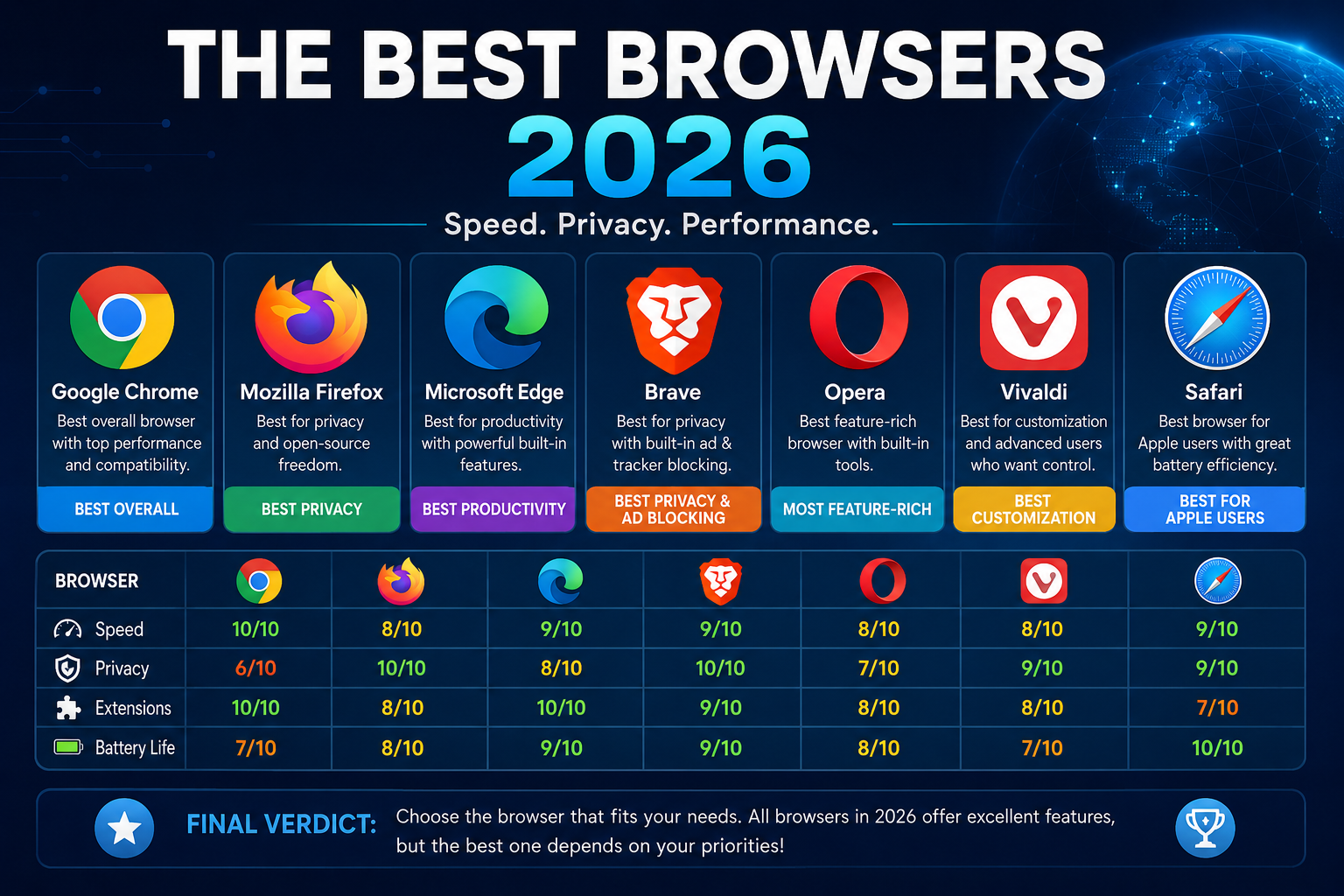
Web browsers have become much more than simple tools for accessing websites. In 2026, browsers serve as productivity hubs, AI assistants, security gateways, and digital workspaces. Whether you’re a student, professional, gamer, developer, or casual internet user, choosing the right browser can significantly impact your online experience.
With increasing concerns about privacy, cybersecurity, and browsing performance, users are looking for browsers that offer speed, efficiency, and advanced features. Modern browsers now include built-in AI assistants, enhanced tracking protection, vertical tabs, workspace management, and energy-saving modes.
This guide explores the best browsers of 2026, comparing their strengths, weaknesses, and ideal use cases to help you choose the perfect browser for your needs.
Why Choosing the Right Browser Matters
Your browser affects:
- Website loading speed
- Battery consumption
- Privacy and security
- Productivity tools
- Extension compatibility
- AI-powered assistance
- Resource usage (RAM and CPU)
A poor browser choice can lead to slower performance, excessive memory consumption, and increased privacy risks.
1. Google Chrome – Best Overall Browser
Overview
Google Chrome remains the world’s most popular browser in 2026. Its speed, compatibility, and extensive extension ecosystem make it the preferred choice for millions of users.
Chrome continues to dominate because most websites are optimized for Chromium-based browsers.
Key Features
- Fast page loading
- Built-in AI assistance
- Google Workspace integration
- Cross-device synchronization
- Massive extension library
- Advanced developer tools
Pros
✓ Excellent website compatibility
✓ Frequent security updates
✓ Best support for web applications
✓ Powerful developer tools
Cons
✗ High RAM usage
✗ Privacy concerns due to Google tracking
✗ Can consume significant battery power
Best For
- General users
- Business professionals
- Developers
- Students
2. Mozilla Firefox – Best Privacy Browser
Overview
Firefox remains the leading independent browser not controlled by major tech giants. Developed by Mozilla, it focuses heavily on user privacy and open-source principles.
In 2026, Firefox offers stronger anti-tracking protection than ever before.
Key Features
- Enhanced Tracking Protection
- Open-source development
- Strong privacy controls
- Customizable interface
- Container tabs
- Built-in screenshot tool
Pros
✓ Excellent privacy protection
✓ Independent browser engine
✓ Highly customizable
✓ Lower tracking risks
Cons
✗ Slightly slower on some websites
✗ Smaller extension ecosystem than Chrome
Best For
- Privacy-conscious users
- Researchers
- Journalists
- Security professionals
3. Microsoft Edge – Best Productivity Browser
Overview
Microsoft Edge has transformed from a basic browser into a powerful productivity platform. Built on Chromium, Edge combines Chrome compatibility with unique Microsoft features.
Its AI integration and workspace tools make it ideal for professional environments.
Key Features
- AI-powered Copilot integration
- Vertical tabs
- Sleeping tabs
- Workspaces
- Microsoft 365 integration
- Enhanced PDF reader
Pros
✓ Excellent battery efficiency
✓ Built-in productivity tools
✓ Fast performance
✓ Enterprise-friendly
Cons
✗ Microsoft service promotions
✗ Some users dislike account integration prompts
Best For
- Business users
- Office workers
- Students
- Remote teams
4. Brave – Best Privacy and Ad Blocking Browser
Overview
Brave has become one of the fastest-growing browsers thanks to its privacy-first philosophy.
It automatically blocks advertisements, trackers, and malicious scripts, resulting in faster page loading times and improved security.
Key Features
- Built-in ad blocker
- Tracker blocking
- Private browsing with Tor
- Cryptocurrency rewards
- AI assistant integration
- Fingerprinting protection
Pros
✓ Exceptional privacy
✓ Faster page loading
✓ Reduced data usage
✓ Strong security features
Cons
✗ Some websites may not display ads correctly
✗ Crypto features aren’t useful for everyone
Best For
- Privacy enthusiasts
- Frequent travelers
- Mobile users
- Security-focused users
5. Opera – Best Feature-Rich Browser
Overview
Opera continues to offer one of the most feature-packed browsing experiences available.
Unlike many competitors, Opera includes numerous tools directly within the browser, reducing the need for extensions.
Key Features
- Built-in VPN
- Sidebar messaging apps
- AI assistant
- Battery saver mode
- Video pop-out player
- Integrated social media access
Pros
✓ Rich built-in functionality
✓ Good performance
✓ Useful sidebar tools
✓ Easy multitasking
Cons
✗ Smaller extension ecosystem
✗ Privacy concerns among some users
Best For
- Power users
- Multitaskers
- Content creators
6. Vivaldi – Best Browser for Customization
Overview
Vivaldi is designed for users who want complete control over their browsing experience.
Virtually every aspect of the browser can be customized, from themes and layouts to keyboard shortcuts and tab management.
Key Features
- Advanced tab management
- Custom themes
- Split-screen tabs
- Built-in mail client
- Calendar integration
- Extensive shortcut customization
Pros
✓ Highly customizable
✓ Advanced productivity tools
✓ Great for power users
✓ Excellent tab organization
Cons
✗ Learning curve for beginners
✗ Interface may feel overwhelming
Best For
- Developers
- Researchers
- Advanced users
- Productivity enthusiasts
7. Safari – Best Browser for Apple Users
Overview
Safari remains the preferred browser for Mac, iPhone, and iPad users.
Apple continues to optimize Safari for performance, battery life, and privacy within its ecosystem.
Key Features
- Energy-efficient performance
- Intelligent Tracking Prevention
- iCloud synchronization
- Reader mode
- Password management
- Apple ecosystem integration
Pros
✓ Outstanding battery life
✓ Fast on Apple devices
✓ Excellent privacy features
✓ Smooth ecosystem integration
Cons
✗ Limited availability outside Apple devices
✗ Smaller extension ecosystem
Best For
- Mac users
- iPhone users
- Apple ecosystem customers
Browser Performance Comparison 2026
| Browser | Speed | Privacy | Extensions | Battery Life |
|---|---|---|---|---|
| Chrome | 10/10 | 6/10 | 10/10 | 7/10 |
| Firefox | 8/10 | 10/10 | 8/10 | 8/10 |
| Edge | 9/10 | 8/10 | 10/10 | 9/10 |
| Brave | 9/10 | 10/10 | 9/10 | 9/10 |
| Opera | 8/10 | 7/10 | 8/10 | 8/10 |
| Vivaldi | 8/10 | 9/10 | 8/10 | 7/10 |
| Safari | 9/10 | 9/10 | 7/10 | 10/10 |
Best Browser for Different Users
Best Browser for Students
Microsoft Edge
The integration with Microsoft 365, PDF tools, note-taking features, and AI-powered assistance makes Edge an excellent choice for students.
Best Browser for Developers
Google Chrome
Chrome provides industry-leading developer tools, debugging capabilities, and compatibility with modern web technologies.
Best Browser for Privacy
Brave and Firefox
Both browsers offer excellent tracking protection and privacy-focused features.
Best Browser for Business Users
Microsoft Edge
Workspaces, AI integration, and enterprise security features make Edge ideal for professional environments.
Best Browser for Mac Users
Safari
Safari delivers unmatched battery efficiency and seamless integration across Apple devices.
AI-Powered Browsing in 2026
One of the biggest browser trends in 2026 is AI integration.
Modern browsers now offer:
- Instant page summaries
- Email drafting assistance
- Research support
- AI-generated content
- Smart search enhancements
- Automated productivity tools
AI has transformed browsers from passive tools into intelligent assistants capable of helping users complete tasks more efficiently.
Security Trends in Modern Browsers
Cybersecurity threats continue to evolve, making browser security more important than ever.
Leading browsers now provide:
- Real-time phishing protection
- Password breach monitoring
- Enhanced sandboxing
- Secure DNS services
- AI-powered threat detection
- Advanced anti-tracking systems
Regular browser updates remain critical for maintaining online security.
Final Verdict: Which Browser is Best in 2026?
There is no single browser that is perfect for everyone.
Choose:
- Google Chrome for overall performance and compatibility.
- Mozilla Firefox for privacy and open-source freedom.
- Microsoft Edge for productivity and business use.
- Brave for ad-free browsing and privacy.
- Opera for built-in features.
- Vivaldi for customization.
- Safari for Apple ecosystem users.
For most users in 2026, Microsoft Edge and Google Chrome offer the best balance of speed, functionality, and compatibility. However, privacy-focused users may find Brave or Firefox to be the superior choice.
Ultimately, the best browser is the one that aligns with your workflow, security needs, and personal preferences. As browsers continue evolving with AI and advanced security technologies, users have more powerful choices than ever before.